Product-design analysis based on Tiina’s public website, press materials, and App Store listing, accessed November 17, 2026. This is not a hands-on test or a Tech Adventures client-results case study.
AI becomes useful when people can actually use it. A powerful assistant behind a confusing interface still leaves someone waiting for help.
Tiina approaches that problem with a familiar interaction: tap and talk. Built for older adults, the iPhone and iPad app presents AI as a patient voice for everyday questions rather than another screen full of tools. Its official examples include discussing a confusing letter, talking through a phone task, exploring an interest, and setting a reminder.
What stands out to us is the clarity of that idea. Tiina is not asking its audience to become AI enthusiasts. Its presentation starts with a question someone already has, then offers a familiar way to ask it. That is a thoughtful direction for AI product design.
A family story behind a specific design problem
According to Tiina’s press story, founder Marcus Arcabascio named the app after his mother, Tiina, who helps his grandmother, Ema, with technology and everyday support. Tiina is pronounced “Tina.”
The company describes a gap between capable adults and software that makes unfamiliar actions feel risky. That is a more useful starting point than assuming every older adult struggles with technology. Needs vary, as do hearing, vision, dexterity, devices, and comfort with speaking to an app.
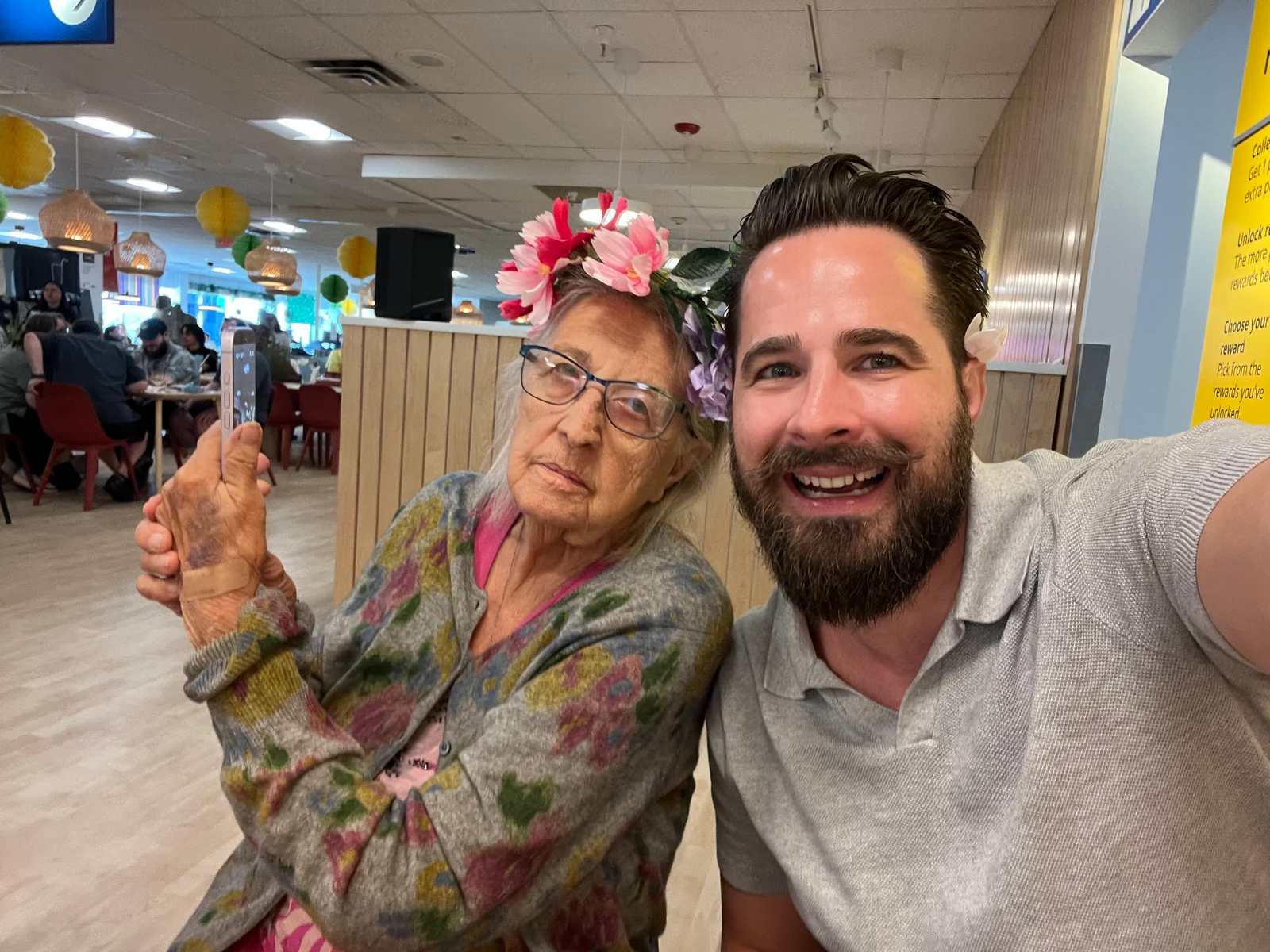
Photo: Marcus Arcabascio with his grandmother, Ema. Courtesy of Tiina. Source: Tiina’s official press kit.
Our interpretation: the design challenge is not simply making a chatbot larger. It is reducing the effort required to ask a question, understand an answer, and ask again without feeling rushed. That principle applies well beyond senior-focused products.
1. Make the first action familiar
Tiina’s published setup flow is straightforward: sign up, get the app, allow microphone access, and start a conversation. A friend or family member can help with setup. Photo sharing is optional; reminders require notifications to be enabled.
The company’s home-screen press image centers one invitation: “Just tap and talk.” It communicates the intended interaction without a dashboard of competing features.
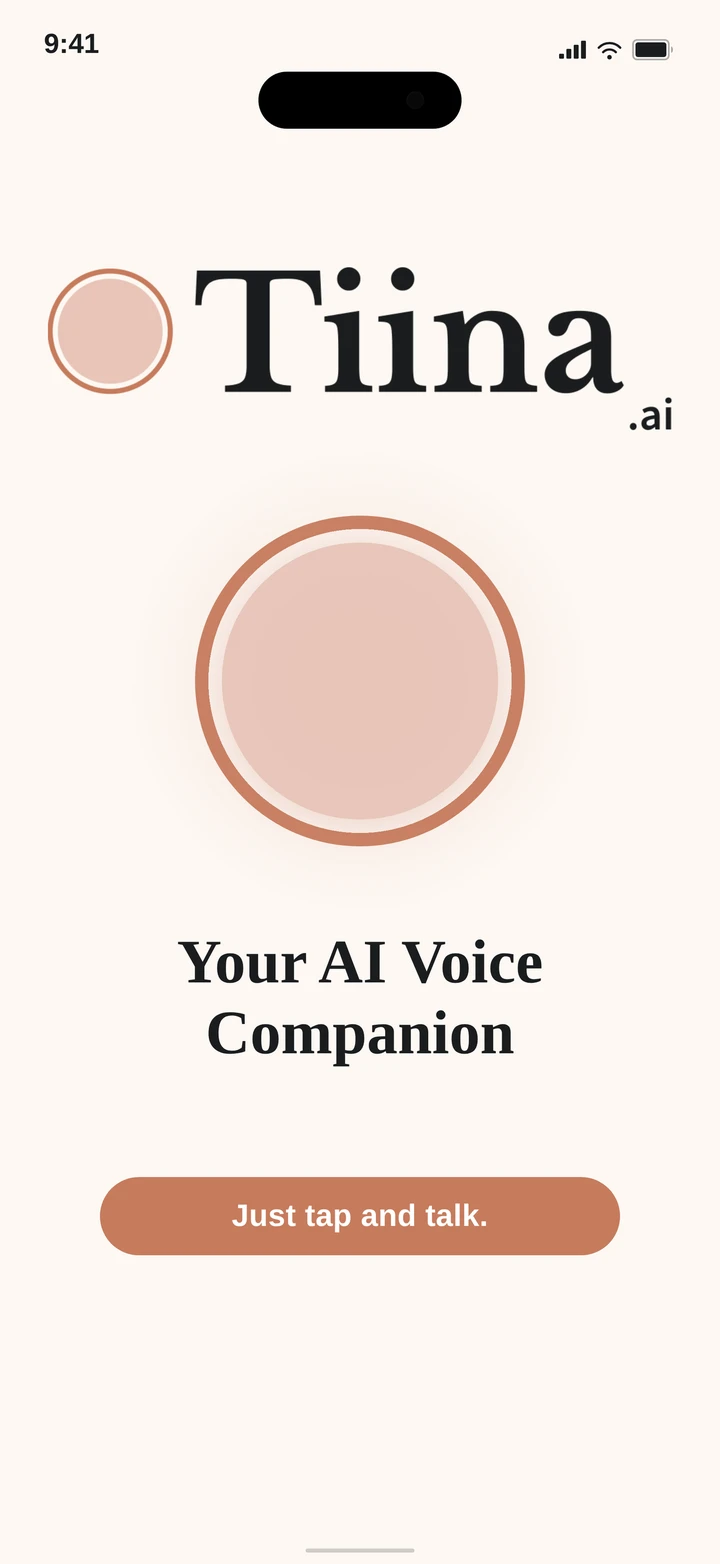
Screenshot: Tiina’s official home-screen press image. Courtesy of Tiina. This is publisher-supplied product imagery, not a screenshot from our own testing.
What we like here is the restraint. The press image gives the main action room to breathe instead of competing with a collection of technical controls. Tiina’s getting-started guidance complements that simple introduction. For product teams, the lesson is to make the next step recognizable before asking people to learn a new system.
2. Start with a concrete everyday question
One press screenshot depicts an example request asking Tiina to explain an insurance letter. The app’s illustrated reply identifies it as an Explanation of Benefits rather than a bill.
That is an example conversation supplied by Tiina, not evidence that the app correctly interprets every document. Insurance coverage, payment obligations, deadlines, and account details still need confirmation with the insurer or relevant professional. A fluent explanation can be mistaken.
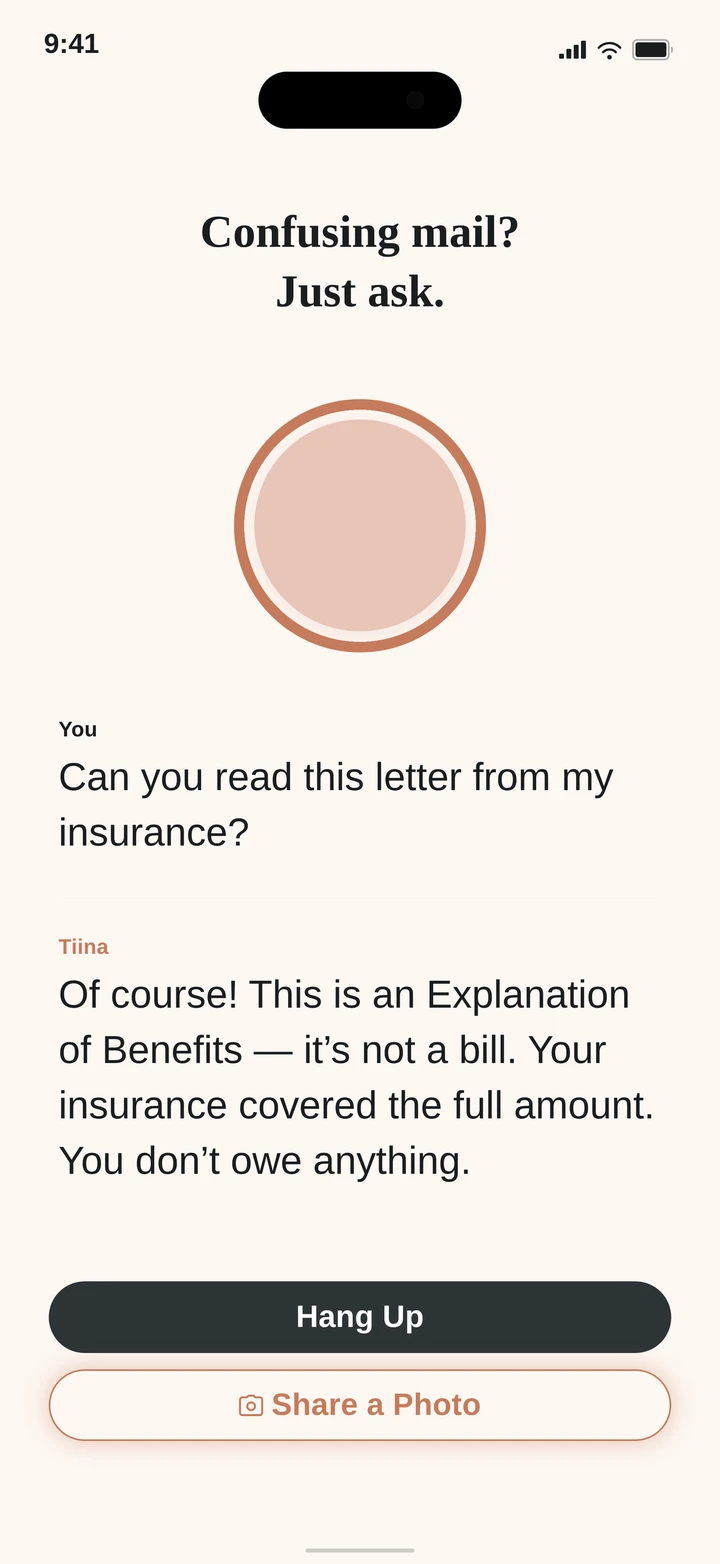
Screenshot: Tiina’s reading-mail example. Courtesy of Tiina. Illustrative product example; verify important financial or coverage details independently.
The wider design lesson is specificity. “Help me understand this letter” gives someone a recognizable reason to try a product. It is easier to evaluate than a broad promise that an assistant can do everything.
Tiina also describes discussing suspicious calls or messages. That should be understood as assistance thinking through warning signs, not a guarantee that an app will identify fraud or protect a bank account. Independently verify unexpected requests using a trusted contact route before sending money or information.
3. Let the person set the pace
Tiina’s website emphasizes spoken answers, follow-up questions, and the ability to ask for another explanation. It also describes remembering interests and people mentioned in conversation, with controls to review or delete saved memories.
We appreciate the emphasis on asking again. Tiina’s examples make follow-up questions part of the experience, rather than treating the first answer as the end of the conversation. Users should not need to find the perfect words before a product becomes useful.
This is a promising design choice, not a measured usability result from our own testing. Families can explore it together with ordinary, low-stakes questions and see whether the pace and explanations suit the person using it.
4. Keep family support separate from surveillance
Another thoughtful choice is separating help from automatic family oversight. Tiina’s information for families describes an optional weekly page that requires the older adult’s agreement. The emphasis on consent deserves attention: designing for someone should not mean designing around them.
Family sharing is separate from the company’s handling of conversation data. Tiina’s November 15 privacy policy says it may retain transcripts and, in some cases, audio recordings and images, including for improving, evaluating, and training its systems. Its App Store description still says there are no caregiver dashboards and voice recordings are not stored, wording that conflicts with the newer policy and family-sharing pages. Review the current policy and available controls before sharing sensitive information.
The product-design principle is clear even without making a privacy guarantee: assistance should not silently transfer control from the person using the app to someone else. Explain what is shared, with whom, and how to stop it.
5. Explain the limits as clearly as the benefits
Tiina’s safety guidance and website state that it is AI, not a doctor, therapist, lawyer, financial advisor, or emergency service. Important answers should be checked before acting.
Clear limits make the product story more credible. Everyday explanations and conversation are useful things to design around without claiming that an app replaces caregivers, professional advice, or emergency support.
For a family evaluating Tiina, a practical first session could include:
- A harmless question about a hobby or everyday phone task.
- Asking the app to explain the answer another way.
- Reviewing memory and optional sharing controls together.
- Agreeing which questions require a family member or professional.
- Checking subscription terms and cancellation before the trial ends.
This is our suggested evaluation checklist, not a clinical assessment or a tested Tiina onboarding protocol.
What other businesses can learn from Tiina
Tiina offers a useful example of focusing an AI experience around a particular person and problem. The lessons are practical:
Make the next action obvious. A familiar invitation can be more useful than exposing every capability at once.
Explain with recognizable situations. Product examples should show the question being answered, not just announce that AI is involved.
Design for correction. Let people ask again and recover from misunderstandings.
Keep control visible. Permissions, memory, and sharing are part of the experience, not administrative details.
State the limits. Confidence in the interface must not become false confidence in an answer.
Those principles matter for customer-facing assistants and internal business tools too. Our positive takeaway is straightforward: Tiina’s public presentation makes a focused case for building AI around a person, not asking the person to work around AI. Its familiar interaction, concrete examples, and personal founding story make it a product worth exploring.
Explore Tiina
Visit Tiina’s official website to hear example conversations and review current features, or view Tiina on the App Store for current device requirements, availability, and subscription terms.
The homepage advertised a seven-day trial followed by $9.99 per month when checked on November 17, 2026. The U.S. App Store listing also advertised Tiina Plus at $24.99/month, with more daily and monthly talking time. Plans, allowances, and checkout terms should be confirmed for your region.
Photography and screenshots: courtesy of Tiina, from its official press and media resources. Product descriptions are attributed to the company; design lessons are our editorial analysis.
Ready to test one useful AI workflow?
Scope a small pilot with clear approvals and a measurable outcome.